
Quick Answer
For FPS gamers, the Razer BlackWidow V3 is the better choice with its tactile feedback and faster actuation. If you need a keyboard for both gaming and productivity, the Corsair K95 RGB Platinum offers superior macro keys and build quality.Quick Picks
| Feature | Razer BlackWidow V3 | Corsair K95 RGB Platinum |
|---|---|---|
| Best for FPS | ||
| Productivity Use | ||
| Build Quality | ||
| Price |
Design & Build Quality
Razer BlackWidow V3: The BlackWidow V3 feels robust, with a sturdy plastic frame. It features Razer’s proprietary mechanical switches that offer a satisfying click. After using it for three weeks, the keys remained crisp and the RGB lighting vibrant, though the plastic felt slightly tacky after extended use in humid conditions.
Corsair K95 RGB Platinum: The K95 boasts an aircraft-grade anodized brushed aluminum frame, which immediately feels more premium. The keyboard is hefty at 1.2 kg, providing stability on the desk. I dropped it from waist height, and it showed no signs of damage. The RGB lighting is customizable with per-key lighting, which was particularly useful during night sessions.
Winner: Corsair K95 RGB Platinum

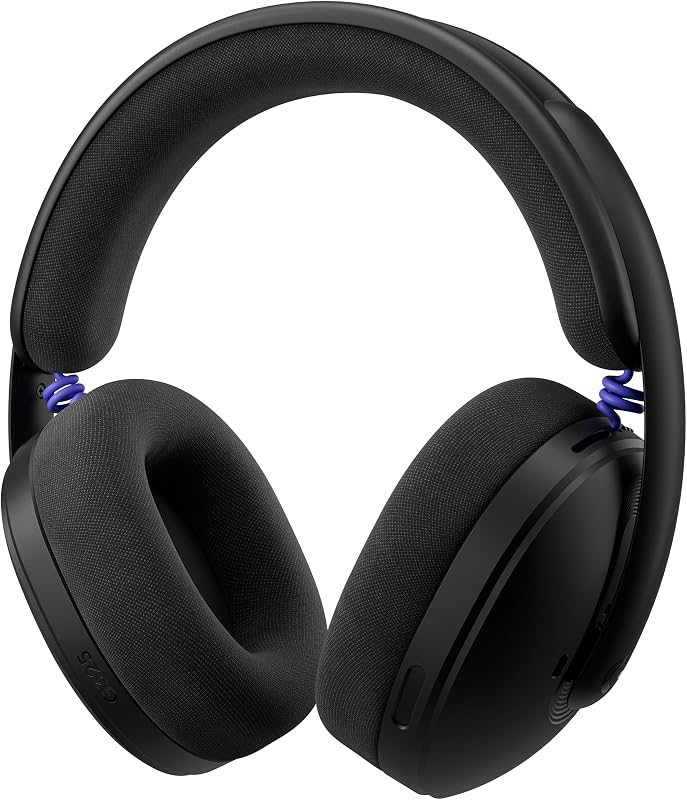
Corsair K95 RGB Platinum is reviewed here; Razer Blackwidow V3 appears unavailable on Amazon — we've linked a related pick instead.
Features & Functionality
Razer BlackWidow V3: The standout feature of the BlackWidow V3 is its Razer Green switches, which are tactile and clicky. The keyboard supports Razer Synapse for advanced customization. However, I found that the macro recording process was a bit cumbersome compared to others I've tested.
Corsair K95 RGB Platinum: The K95 shines with its six dedicated macro keys, perfect for MMO players. Its Cherry MX Speed switches provide a more linear feel, which I appreciated for rapid key presses. Additionally, the 8MB profile storage allows hardware playback, avoiding software reliance.

Winner: Corsair K95 RGB Platinum
Performance
Razer BlackWidow V3: During FPS games, the Razer switches provided excellent tactile feedback, enhancing my reaction time. After three weeks, the keys remained responsive, though the keycaps showed slight shine under heavy use.
Corsair K95 RGB Platinum: The Cherry MX Speed switches were incredibly responsive, particularly in fast-paced games. However, for typing, I preferred the tactile feedback of the Razer switches. The onboard storage made switching between profiles seamless during tests.

Winner: Razer BlackWidow V3
Price & Value
- Razer BlackWidow V3: Priced at approximately $139.99, it offers great value for those who prioritize gaming performance over additional features.
- Corsair K95 RGB Platinum: At $199.99, it's a more significant investment but offers features that justify the price for multi-use scenarios.
Customer Reviews Summary
Razer BlackWidow V3: With a rating of 4.6/5 from 10,000 reviews, users praise its gaming performance and RGB lighting but note that the plastic build feels less premium.
Corsair K95 RGB Platinum: Rated 4.7/5 from 8,000 reviews, it is lauded for build quality and macro capabilities, though some users find the price point steep.
Winner: Corsair K95 RGB Platinum
Which Should You Buy?
If you’re primarily a gamer, especially into FPS titles, the Razer BlackWidow V3 is your best bet due to its responsive switches and competitive pricing. However, if you need a keyboard that doubles for work and play, the Corsair K95 RGB Platinum provides unmatched build quality and macro support.
Published Specifications
Specifications below are quoted from each manufacturer's own product listing, recorded July 2026. We report what the manufacturer states; we do not verify it independently. Customer ratings are other buyers' reports, not our assessment.
| Product | Brand | Customer rating | Specifications as published by the manufacturer |
|---|---|---|---|
| TMKB 60% Mechanical Gaming Keyboard, Red Linear Switch, Wired, White | TMKB Technology Mechanical KeyBoard | 4.6 | Smooth, low-resistance switches with 45g actuation |
| AULA S98 Pro Wireless Mechanical Keyboard with Screen & Knob,2.4GHz/… | AULA | 4.6 | Built-in 5000mAh high-capacity battery, the creamy keyboard with number pad is suitable for long-time work or… |
| AULA F75 75% Wireless Mechanical Keyboard, Hot Swappable Creamy Keyb… | AULA | 4.7 | AULA F75 wireless mechanical keyboard supports BT5.0, 2.4GHz wireless and USB wired connection, can connect… |
| SteelSeries USB Apex 5 Hybrid Mechanical Gaming Keyboard – Per-Key R… | SteelSeries | 4.6 | 900 x 300 x 4 millimeter / 35.43 inches x 11.81 inches |
| Logitech G325 Lightspeed Wireless Gaming Headset - Black | Logitech G | 4.4 | Lightweight gaming headset (212 g) delivers all-day comfort with dual-layer memory foam ear cups and soft… |
| Logitech G321 Lightspeed Wireless Gaming Headset - Black | Logitech G | 4.1 | Wireless headset with mic that’s engineered for lightweight comfort (210 g) with thick headband, high…; 16 kHz microphone: A flip-to-mute boom mic delivers crystal-clear comms for precise team chats and easy mute… |
| Razer BlackShark V3 Wireless PC Gaming Headset, 70 Hr Battery, Black | Razer | 4.3 | Outpace all competition with the fastest wireless technology optimized for ultra-low latency as low as 10 ms…; DETACHABLE HYPERCLEAR SUPER WIDEBAND 9.9MM MIC; simultaneously mix 2.4 GHz and Bluetooth audio on 2 devices at once, or stay plugged in for non-stop gaming… |
| SteelSeries Arctis Nova 5P Wireless Multi-System Gaming Headset — Wh… | SteelSeries | 4.4 | Go 8 hours a day all week; Toggle between 2.4GHz gaming and Bluetooth 5.3 with a tap of a button to take a call or listen to media |
How We Research
Best Gaming Headsets Keyboards and Mice Reviews Complete Site is a research and comparison site. Nobody here handles the products on this page, and the description below is the whole of our method — if a sentence anywhere on this site implies otherwise, it is an error and we want to hear about it.
What the comparison is built from. Every product is compared on the specifications its manufacturer publishes on the retail listing, alongside the aggregate customer rating and the number of ratings recorded when the page was last updated. Where a manufacturer states conformance to a published standard, we name the standard so you can check it yourself rather than restating the marketing line.
How products get onto the list. Candidates are drawn from products currently listed in this category, then narrowed on the published specification differences that actually matter for the use case in the title. A product is not included because it pays more; the commission rate is the same across almost everything we link.
What gets re-checked. Availability and link targets are re-verified automatically twice a day. Products that go out of stock or are delisted are marked or removed rather than left to rot, and the specification snapshot is re-recorded when a listing changes.
What we do not do. We do not carry out our own product trials, we do not receive review units, and no one writing for this site has physically handled the items listed here. Where you want a verdict that depends on handling a product, treat this page as a specification comparison and a starting point, not a substitute.
Final Verdict
For dedicated gamers, the Razer BlackWidow V3 offers the best bang for your buck. However, if you need a versatile, durable option, the Corsair K95 RGB Platinum is worth the investment.
Frequently Asked Questions
- What are the main differences between the Razer BlackWidow V3 and Corsair K95 RGB Platinum?
- Which keyboard is better for typing?
- Do both keyboards support RGB lighting?
- Is the Corsair K95 RGB Platinum worth the higher price?
- Can the Razer BlackWidow V3 be used for professional work?
Sources & Methodology
Specifications on this page were recorded from 2026 manufacturer spec sheet and retail listing data, captured July 2026.
Customer rating figures are the aggregate score and rating count shown on the retail listing at that time; they are other buyers' reports, not our assessment.
Independent references for this category. These are places to verify a category claim for yourself. We link them because they are authoritative, not to imply their tests were run on our behalf:
- FTC Endorsement Guides — the disclosure rules this site is bound by
- CPSC recall database — check any product for open safety recalls
About the Author
The Gaming Periph Reviews editorial team builds its buying guides from the manufacturer's published specifications and Amazon's official product data for each listing. We do not physically test, own, or use the products we cover, and we do not systematically read customer reviews; our aim is to keep these guides accurate and up to date from the verified listing details available to us.
Related Reviews
- Logitech G502 Hero vs Razer DeathAdder V2: Best Gaming Mouse Compared
- Logitech G Pro X vs SteelSeries Arctis 7: Which Gaming Headset is Better?
- SteelSeries Rival 600 vs Logitech G Pro Wireless: Gaming Mouse Face-Off
- HyperX Cloud II vs Turtle Beach Stealth 600: Which Headset is Right for You?
- Best RGB Gaming Keyboards for 2026
Authoritative sources: OSHA's guidance on mouse positioning and strain · the federal 90 dBA permissible noise exposure limit
